Sienovo AM5728 CAN Bus Testing and SDK Upgrade, Linux CAN Debugging Commands
I. AM5728 CAN Bus Testing
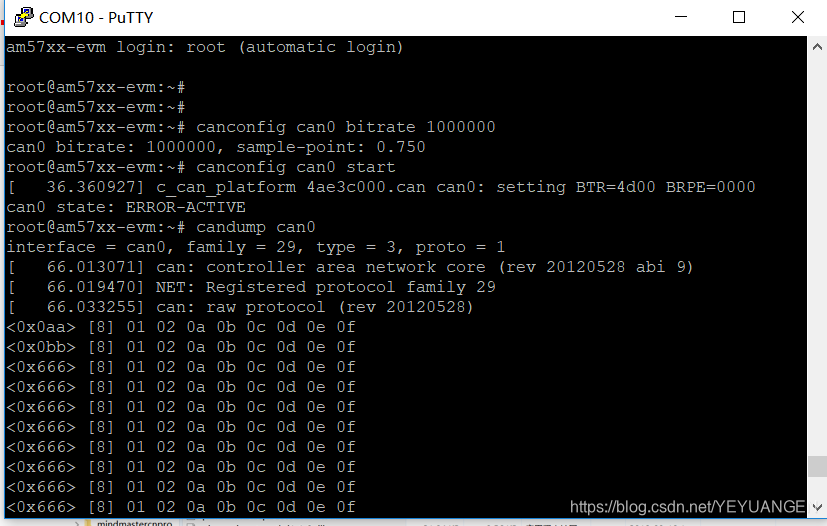
Execute the following commands in the development board's file system to configure the CAN0 bus (CAN0 in software corresponds to CAN1 in hardware) with a bitrate of 1MHz and start the CAN bus:
Target# canconfig can0 bitrate 1000000
Target# canconfig can0 start
Execute the following command to monitor data sent from the PC:
Target# candump can0
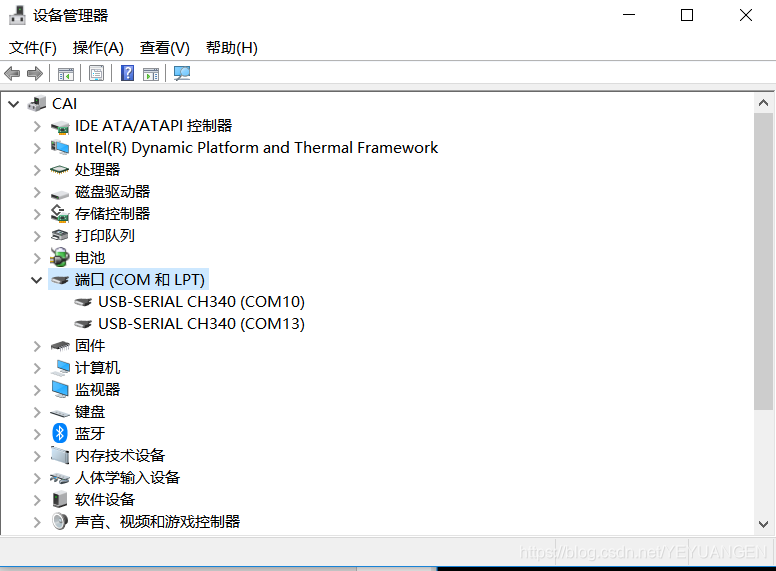
Driver automatically installed on PC
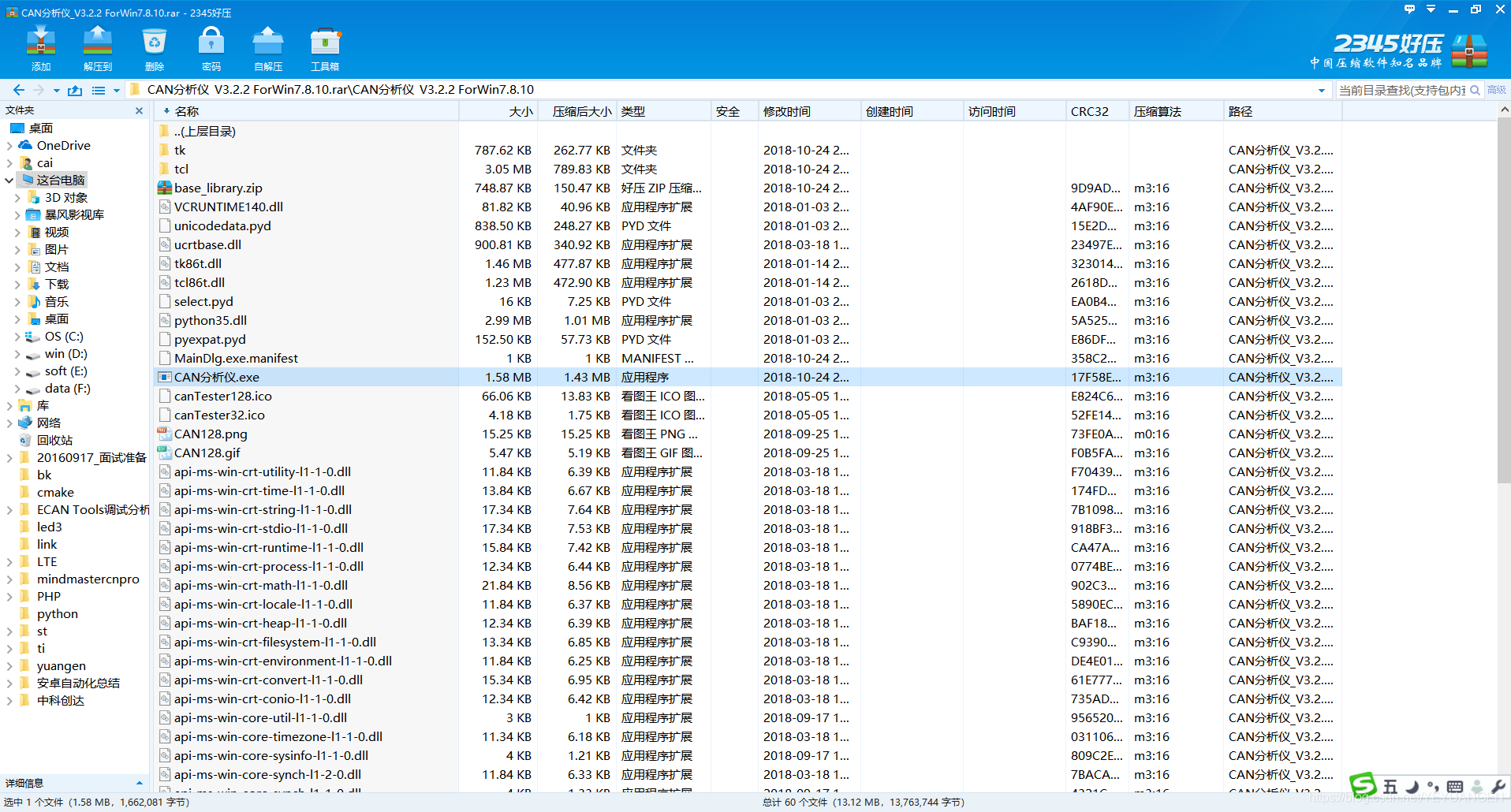
Then open the debugging instrument software
-
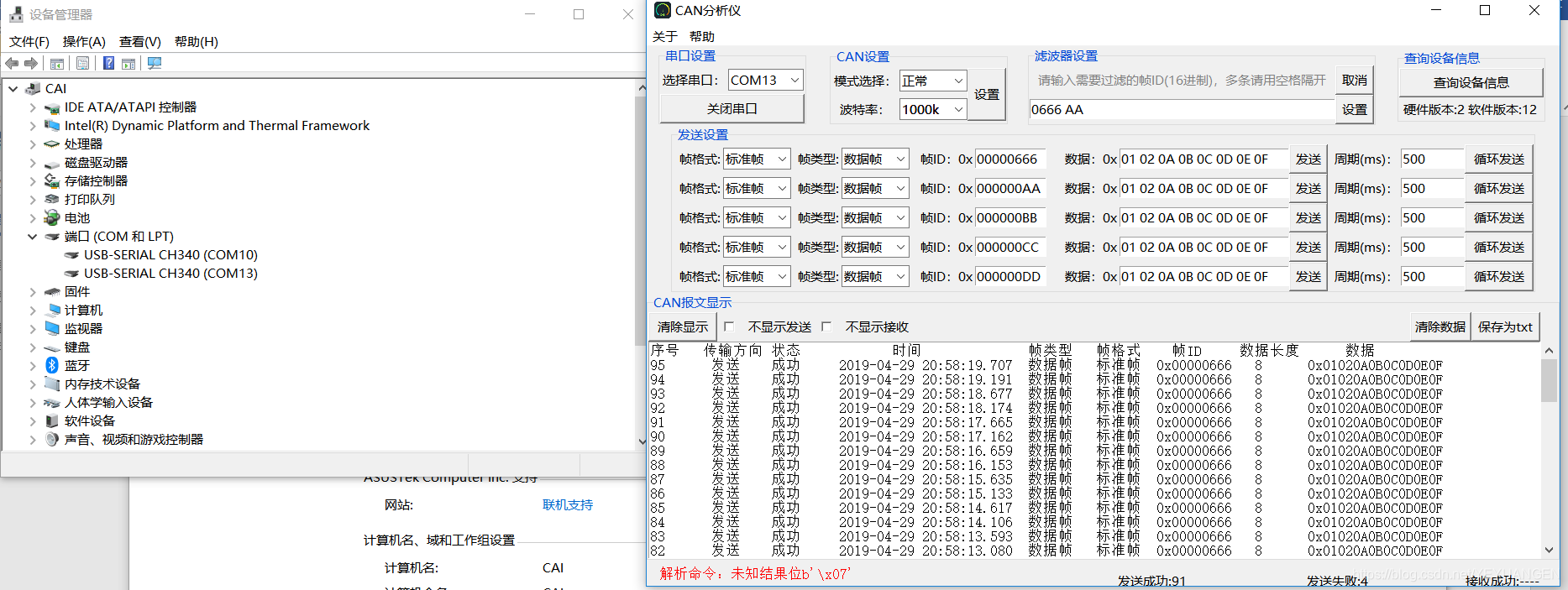
First, set the COM port and bitrate to 1MHz.
-
Select either 'Send Data' or 'Loop Send'.
II. Device Tree Upgrade and Porting
CAN exists as a network device in TI AM5728 Linux. Here's a record of the canconfig porting process.
-
-
-
-
- Download
canutilsandlibsocketcan
- Download
-
-
libsocketcanaddress: http://public.pengutronix.de/software/libsocketcan/canutilsaddress: http://public.pengutronix.de/software/socket-can/canutils/v4.0/// Download the latest canutils-4.0.6.tar.bz2 and libsocketcan-0.0.10.tar.bz2
-
-
-
-
-
- After downloading, compile the
libsocketcanlibrary first.
- After downloading, compile the
-
-
// Unzip
tar -xvf canutils-4.0.6.tar.bz2
cd libsocketcan-0.0.10/
mkdir out
// Cross-compiler is configured by default.
-
ye@ye-ThinkPad-E420:~/Downloads/libsocketcan-0.0.11$ source ~/ti-processor-sdk-linux-am57xx-evm-05.01.00.11/linux-devkit/environment-setup
[linux-devkit]:~/Downloads/libsocketcan-0.0.11> ./configure --prefix=/home/ye/Downloads/libsocketcan-0.0.11/out --host=arm-none-linux-gnueabi
[linux-devkit]:~/Downloads/libsocketcan-0.0.11> make
[linux-devkit]:~/Downloads/libsocketcan-0.0.11> make install
[linux-devkit]:~/Downloads/libsocketcan-0.0.11/out/lib> ls
libsocketcan.a libsocketcan.so libsocketcan.so.2.3.0
libsocketcan.la libsocketcan.so.2 pkgconfig
// Copy these generated libraries to your board's file system. They can be placed in the `lib` directory or `usr/lib`.
-
-
-
- 3. Then compile
canconfig
- 3. Then compile
-
// First, copy the header files
libsocketcan.handcan_netlink.hfromlibsocketcantocanutils'sincludedirectory.tar -xvf canutils-4.0.6.tar.bz2
cd canutils-4.0.6/
mkdir out
chmod 777 . -R
// Configure
[linux-devkit]:~/Downloads/canutils-4.0.6> ./configure --host=arm-none-linux-gnueabi --prefix=/home/ye/Downloads/canutils-4.0.6/out libsocketcan_ LIBS=-lsocketcan LDFLAGS="-L/home/ye/Downloads/libsocketcan-0.0.11/out/lib" libsocketcan_CFLAGS="-I/home/ye/Downloads/libsocketcan-0.0.11/out/include"
make
make install
// Finally, you should find the
canconfigcommand inout/sbin.[linux-devkit]:~/Downloads/canutils-4.0.6> ls out/sbin/
-
canconfig
Copy canconfig to the board's /sbin/ directory.
chmod 777 /sbin/ canconfig
Error occurred on the board:
root@am57xx-evm:/run/media/sda2/can/out/lib# canconfig can0 bitrate 1000000
canconfig: error while loading shared libraries: /lib/libsocketcan.so.2: file too short
Solution:
root@am57xx-evm:/run/media/sda2/can/out/lib# rm /lib/libsocketcan.so.2
root@am57xx-evm:/run/media/sda2/can/out/lib# ln -s /lib/libsocketcan.so.2.3.0
Test run:
root@am57xx-evm:/run/media/sda2/can/out/lib# canconfig can0 bitrate 1000000
can0 bitrate: 1000000, sample-point: 0.750
root@am57xx-evm:/run/media/sda2/can/out/lib# canconfig can0 start
[ 402.704469] c_can_platform 4ae3c000.can can0: setting BTR=4d00 BRPE=0000
can0 state: ERROR-ACTIVE
root@am57xx-evm:~# candump can0
[ 666.993280] can: controller area network core (rev 20170425 abi 9)
[ 666.999568] NET: Registered protocol family 29
[ 667.012032] can: raw protocol (rev 20170425)
can0 666 [8] 01 02 0A 0B 0C 0D 0E 0F
can0 0AA [8] 01 02 0A 0B 0C 0D 0E 0F
can0 0BB [8] 01 02 0A 0B 0C 0D 0E 0F
can0 0CC [8] 01 02 0A 0B 0C 0D 0E 0F
can0 0DD [8] 01 02 0A 0B 0C 0D 0E 0F
Reference article: https://www.cnblogs.com/chenfulin5/p/6797756.html
===================Linux CAN Debugging Commands=========================
Implementation of CAN Bus Driver in Embedded Linux
http://www.21ic.com/app/embed/200911/49216.htm
SocketCAN Bitrate Configuration
One method found uses the ip command. The ip command built with BusyBox seems not to support SocketCAN configuration; you must download the iproute2 source code and compile it yourself. Once you have the ip command, copy it to your system's /bin directory.
ip link set can0 type can bitrate 250000
Set CAN0's bitrate to 250K. Before setting, CAN0 needs to be brought down: ip set can0 down.
Issue resolved! ! ! ! ! ! ! ! ! !
http://blog.chinaunix.net/uid-26119896-id-3452315.html
http://www.cnblogs.com/zym0805/p/4345175.html
dmesg | grep can
root@imx_mfgtools_nogpu:~# dmesg | grep can can-3v3: 3300 mV flexcan 2090000.can: device registered (reg_base=a0968000, irq=142) flexcan 2094000.can: device registered (reg_base=a0970000, irq=143) can: controller area network core (rev 20120528 abi 9) can: raw protocol (rev 20120528) can: broadcast manager protocol (rev 20120528 t) can: netlink gateway (rev 20130117) max_hops=1 can-3v3: disabling
ifconfig -a
can0 Link encap:UNSPEC HWaddr 00-00-00-00-00-00-00-00-00-00-00-00-00-00-00-00 NOARP MTU:16 Metric:1 RX packets:0 errors:0 dropped:0 overruns:0 frame:0 TX packets:0 errors:0 dropped:0 overruns:0 carrier:0 collisions:0 txqueuelen:10 RX bytes:0 (0.0 B) TX bytes:0 (0.0 B) Interrupt:142
can1 Link encap:UNSPEC HWaddr 00-00-00-00-00-00-00-00-00-00-00-00-00-00-00-00 NOARP MTU:16 Metric:1 RX packets:0 errors:0 dropped:0 overruns:0 frame:0 TX packets:0 errors:0 dropped:0 overruns:0 carrier:0 collisions:0 txqueuelen:10 RX bytes:0 (0.0 B) TX bytes:0 (0.0 B) Interrupt:143
ip -details link show can0
root@imx_mfgtools_nogpu:~# ip -details link show can0 2: can0: <NOARP,ECHO> mtu 16 qdisc noop state DOWN mode DEFAULT group default qlen 10 link/can promiscuity 0 can state STOPPED (berr-counter tx 0 rx 0) restart-ms 0 bitrate 0 sample-point 0.000 tq 0 prop-seg 0 phase-seg1 0 phase-seg2 0 sjw 0 flexcan: tseg1 4..16 tseg2 2..8 sjw 1..4 brp 1..256 brp-inc 1 clock 30000000
ip -details link show can0 // View
ifconfig can0 down // Disable
ip link set can0 up type can // Enable
./candump can0 // Receive data
./cansend can0 -e 0x11 0x22 0x33 0x44 0x55 0x66 0x77 0x88 // Send data