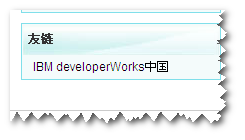
How to Add Friendly Links to the New CSDN
After much searching, the method for adding friendly links to the new CSDN is finally out! It took a lot of effort to find this; it seems good things are often too deeply hidden in this world, while outdated methods still rank highest in search engines due to high click-through rates!
New Version Original Article: http://blog.csdn.net/zpf644792799/article/details/6705865
Old Version Original Article: http://blog.csdn.net/java2000_net/article/details/3851431
Click 'Manage Blog' in the top right corner of your blog homepage, as shown:

Enter the management page and click 'Manage Columns', as shown:
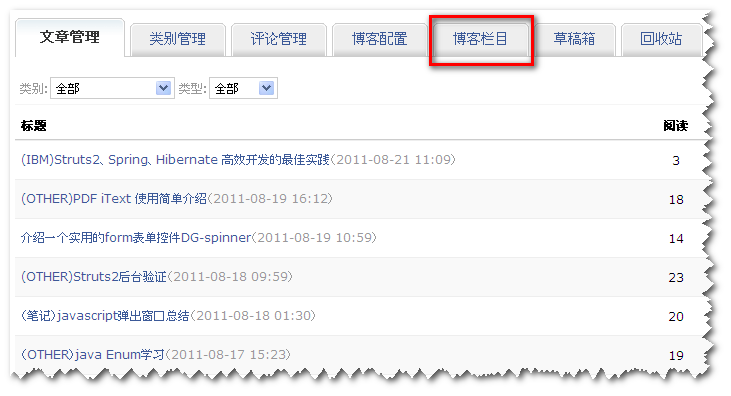
Find 'Add Column' at the bottom.

Here, users can customize modules:
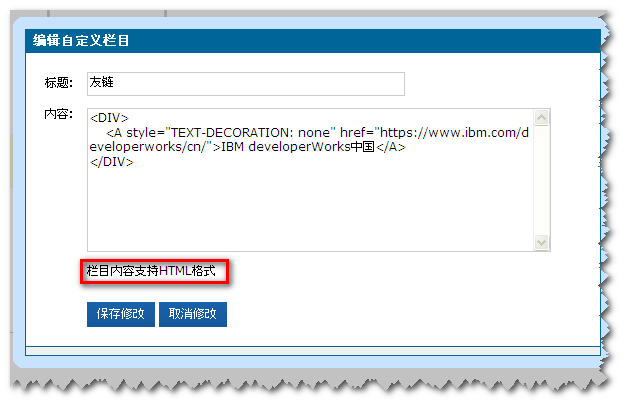
As you can see, custom modules support HTML. Enter the HTML code as shown above:
view plain copy to clipboard print ?
- <A style="TEXT-DECORATION: none"href="https://www.ibm.com/developerworks/cn/">IBM developerWorks China
After saving, the IBM friendly link will be successfully added.
The effect is shown below: