Running Java Programs on Linux - JRE Installation and Configuration
To run Java programs, you must install the Java Runtime Environment (JRE), which provides the necessary execution environment. You can obtain it by installing either JRE or JDK. If you are only using Java applications and not developing them, downloading just the JRE package is sufficient.
To run Java programs, you must install the Java Runtime Environment (JRE), which provides the necessary execution environment. You can obtain it by installing either JRE or JDK. If you are only using Java applications and not developing them, downloading just the JRE package is sufficient; the JDK package also includes the JRE. This article will use JRE installation as an example. The JRE also includes the Java plugin required by web browsers.
I. Download JRE; http://ftp.isu.edu.tw
Download the appropriate version for your machine. My machine is a 32-bit X86, so I can only download jre-1_5_0_04-Linux-i586.bin from the Linux32 directory. If you have an X86-64 bit machine, download the corresponding version.
jre-1_5_0_04-Linux-i586.bin For Linux32
II. Unpack and Configure;
- Extract the package;
[root@localhost sunjava]# ls jre-1_5_0_04-[Linux](http://soft.zdnet.com.cn/files/list-0-0-154112-1-1.htm "Linux")-i586.bin [root@localhost sunjava]# sh jre-1_5_0_04-[Linux](http://soft.zdnet.com.cn/files/list-0-0-154112-1-1.htm "Linux")-i586.bin Do you agree to the above license terms? [yes or no] yes [root@localhost sunjava]# ls jre1.5.0_04 jre-1_5_0_04-[Linux](http://soft.zdnet.com.cn/files/list-0-0-154112-1-1.htm "Linux")-i586.bin
- Configure JRE;
- Move the jre1.5.0_04 directory to /usr/lib
[root@localhost sunjava]# mv jre1.5.0_04 /usr/lib/jre154
- Configure environment variables;
Add the following three lines to the current user's .bashrc:
JAVA_HOME=/usr/lib/jre154 JAVA_BIN=/usr/lib/jre154/bin export JAVA_HOME JAVA_BIN
You can use gedit or vi to edit the .bashrc file;
[root@localhost sunjava]# gedit ~/.bashrc [root@localhost sunjava]# vi ~/.bashrc
- Add a simsun.ttf font;
Create a directory named fallback in /usr/lib/jre154/lib/fonts, then copy the simsun.ttf font to this directory. Alternatively, you can copy simsun.ttc and rename it to simsun.ttf, then place it in this directory.
[root@localhost ~]# mkdir /usr/lib/jre154/lib/fonts/fallback
- Install Java plugins; to enable browsers to support Java programs;
For example, if I use the Firefox browser, create a symbolic link for libjavaplugin_oji.so to the plugins directory within the corresponding Firefox directory. The same applies to other browsers;
[root@localhost plugins]# cd /usr/lib/firefox-1.0.6/plugins/ [root@localhost plugins]# ln -s /usr/lib/jre154/plugin/i386/ns7/libjavaplugin_oji.so .
- Invoking the Java Control Panel;
[beinan@localhost ~]# /usr/lib/jre154/bin/ControlPanel
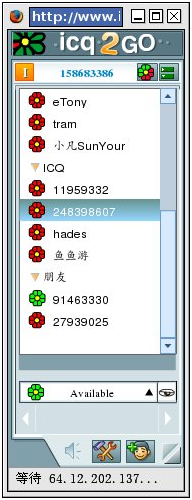
Test address: http://www.icq.com/icq2go